Diagnosing Screen Lines: How to Test Gpu, Cable, and Panel Failure
 By Elena Rostova
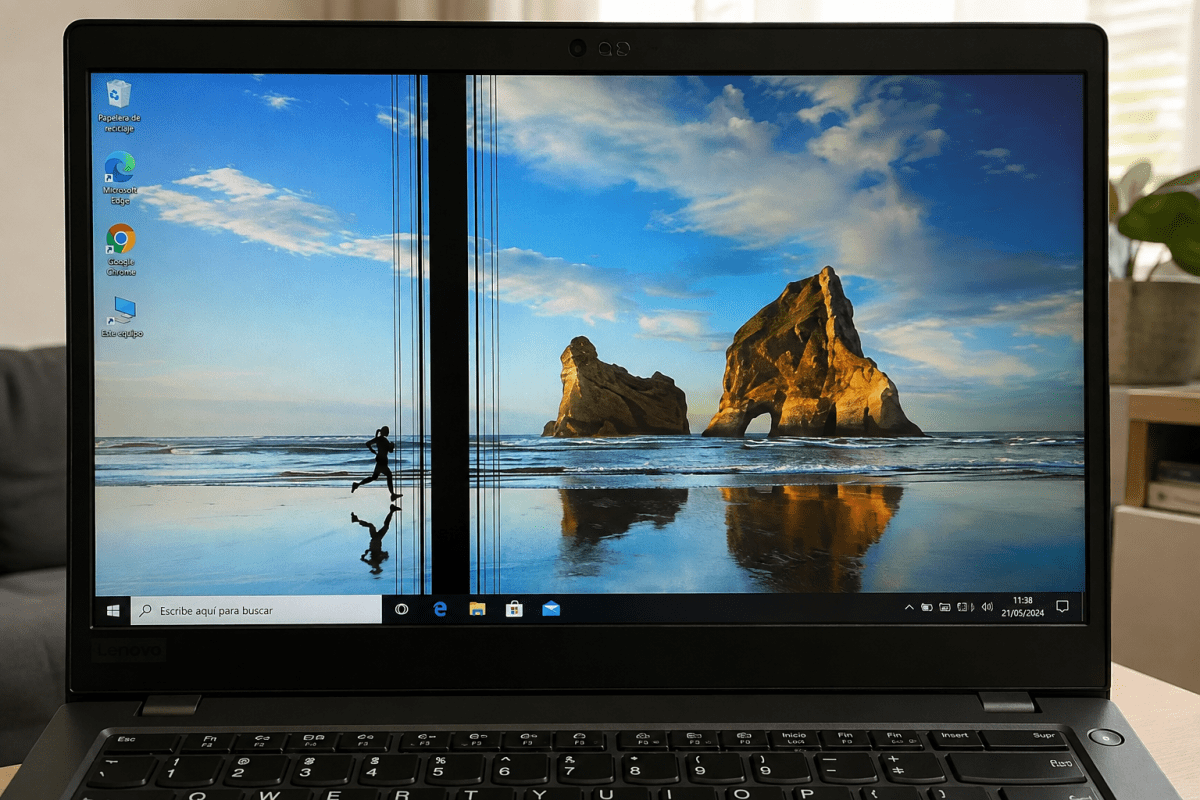
Q1: Will a graphics card driver update fix vertical black lines?
A1: A driver update will only resolve the problem if the lines are caused by software rendering errors or profile corruption. If the line appears inside the BIOS setup screen or during cold boot before Windows loads, the issue is physical hardware damage that software updates cannot resolve.
Q2: Can pressing gently on the bezel fix a loose ribbon cable permanently?
A2: No. Squeezing the plastic bezel applies temporary mechanical pressure to the underlying Chip-on-Film connection, which may briefly restore contact. Thermal expansion and normal device vibration will break the connection again within hours or days. Continued pressure risks cracking the fragile glass substrate underneath.
Q3: How do I know if an LCD screen replacement is worth the investment?
A3: Compare the repair quote against the fair market value of your device. If a replacement panel costs $150 and your laptop carries a used market value above $450, replacement makes economic sense. If the machine is more than five years old, displays poor battery health, or suffers from GPU artifacting, directing those funds toward a new machine is the wiser financial move.
Elena Rostova holds a Master's degree in Public Health Journalism. She covers groundbreaking medical research, holistic wellness trends, mental health awareness, and nutritional science.
