How to Erase Your Search History on Every Device: Step-by-Step Complete Guide
 By David Miller
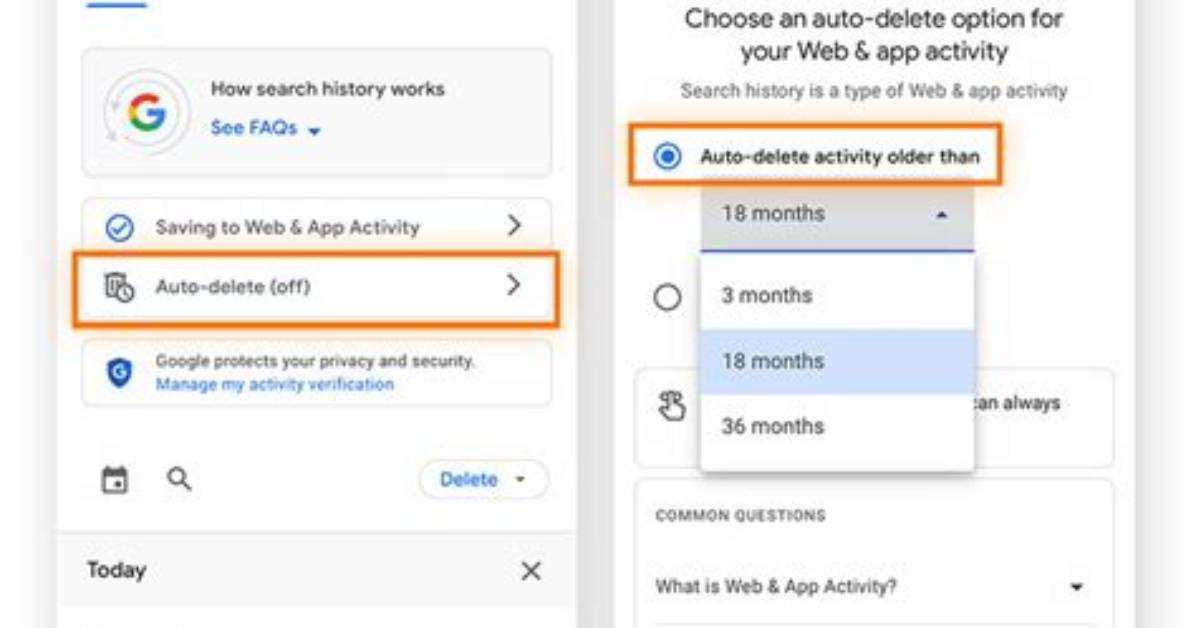
Local browser wipes leave account-level databases untouched. Google preserves your search queries inside the centralized Google My Activity dashboard, independent of which browser you ran them through. If you searched while signed into a Google account, your profile holds that text indefinitely unless you intervene.
Navigate to myactivity.google.com. Click on Delete positioned below the primary search bar, select All time, choose the products you want to clear (ensure Search, Image Search, and Maps are checked), and confirm. To stop the cycle of manual scrubbing, configure your auto-delete activity controls within this same panel. You can instruct Google to discard records automatically after 3, 18, or 36 months, though selecting "Turn off" prevents the engine from retaining future queries altogether.
On mobile platforms, persistent widgets complicate data hygiene. The ubiquitous Android search bar history collects device-level interactions, voice commands, and query text. To clear it, open the official Google app on Android, tap your profile avatar in the upper right, tap Search history, and hit Delete > Delete all time. To clear search suggestions cached in the launcher widget itself, long-press the search bar, tap your profile icon, open Settings > General, and disable Personal results.
David Miller brings 15 years of experience in global economics, personal finance strategy, and market dynamics. He specializes in turning complex economic trends into actionable insights for everyday readers.
